Developers and engineers
Check README files and project notes directly in Finder and spend less time hunting for the right document.
No need to open an editor every time.
A completely free Mac extension to instantly preview
Markdown files in the familiar GitHub style.
macOS 12.0+ · Completely Free
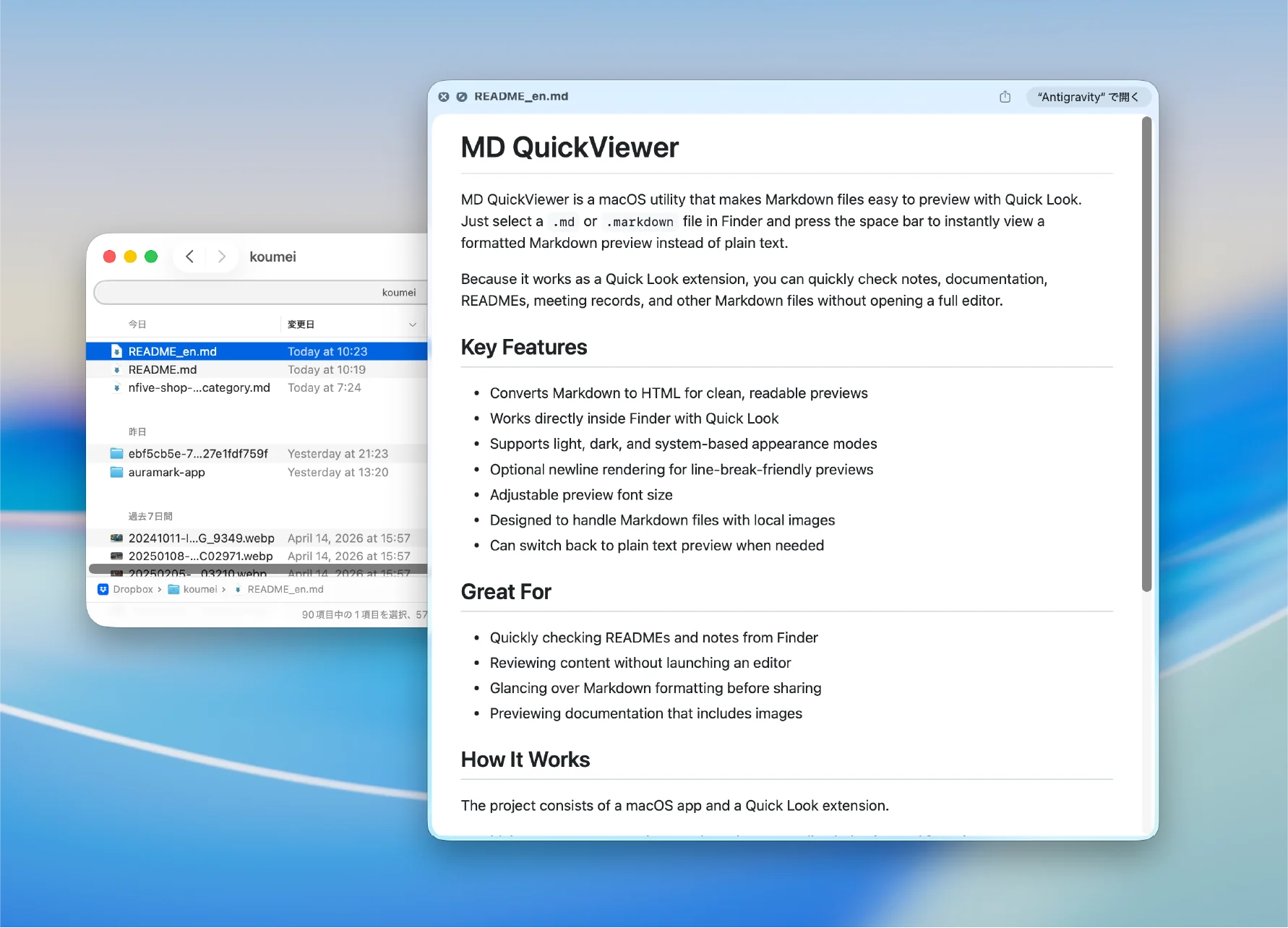
App summary
Who it helps
Press Space in Finder to preview README files, notes, technical docs, and drafts, reducing the need to open each file manually.
Check README files and project notes directly in Finder and spend less time hunting for the right document.
Preview Markdown drafts and articles with formatting before opening a writing app.
Browse notes and documentation with Quick Look so the right file is easier to find.
Use cases
Preview Markdown in Finder for README files, technical notes, blog drafts, and specifications without opening an editor.
Check README and CHANGELOG files with a GitHub-like style and find the document you need faster.
Use Quick Look to inspect daily notes, specs, and meeting notes without launching a writing app.
Check headings, lists, and code blocks in Markdown article drafts directly from Finder.
Official links
Use these official pages for support, privacy information, and terms of service.
We've adopted the standard GitHub stylesheet for previews.
Tables and code blocks that are hard to read in plain text can be confirmed naturally, as if you were viewing a repository in your browser.
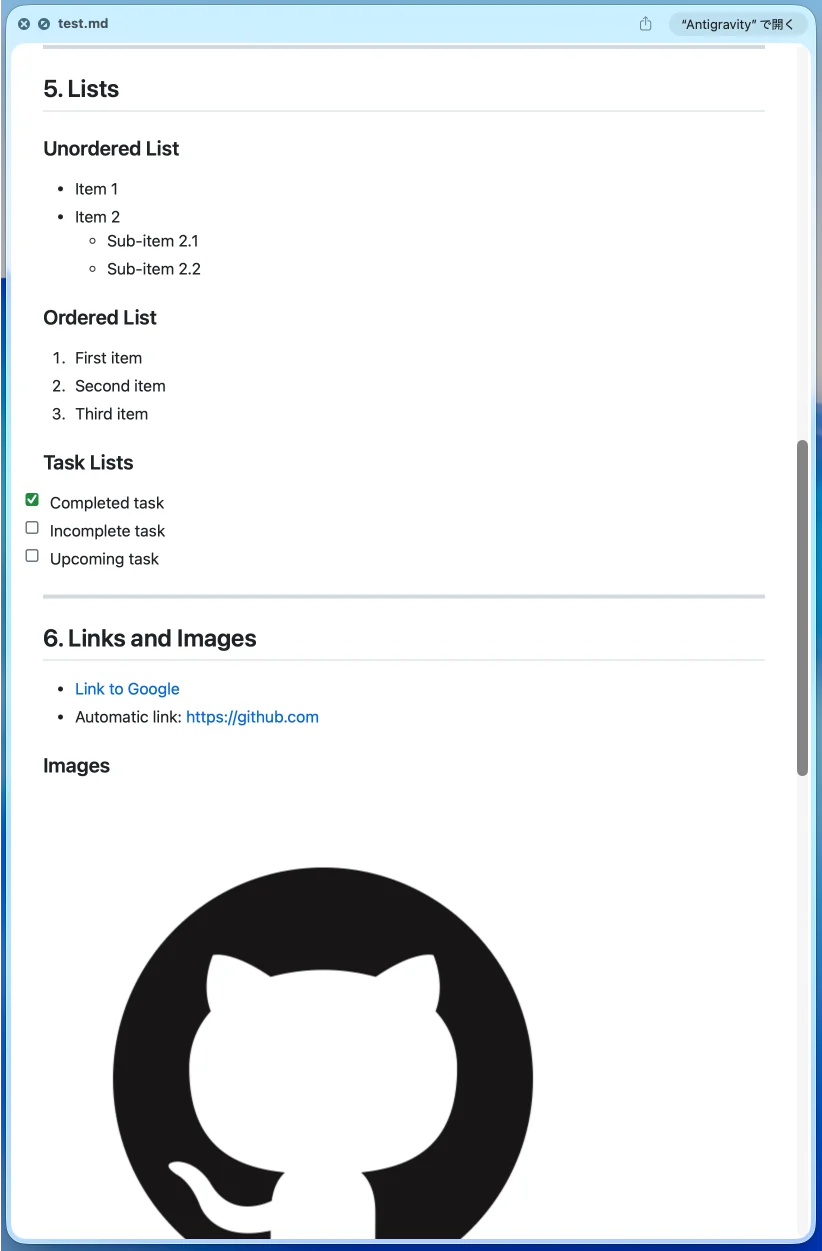
Fully supports System Appearance modes.
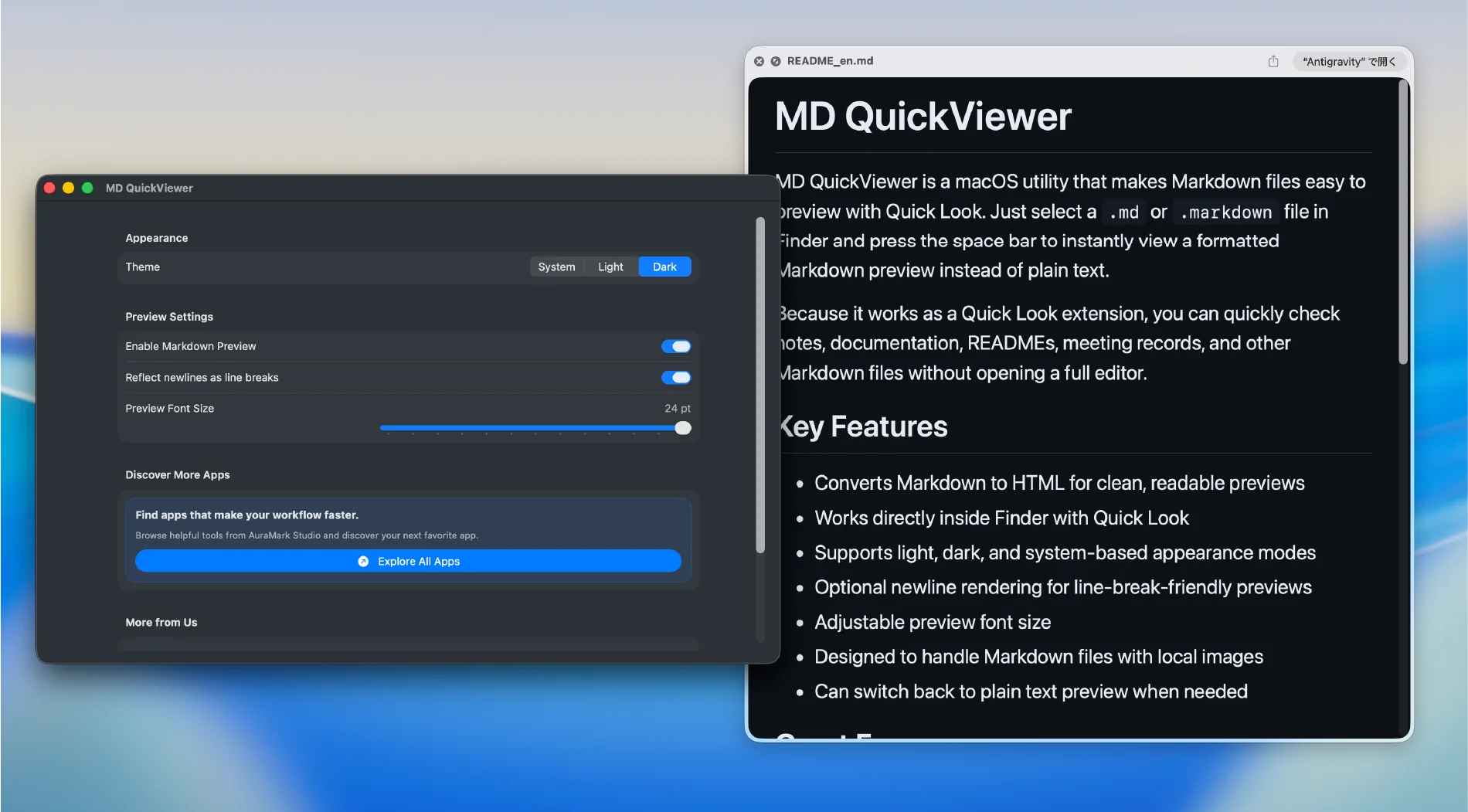
When using your Mac in Dark Mode, the preview automatically switches to an eye-friendly dark theme. You can also lock your preferred theme choice.
Following the system default, displayed on a clean white background.
A beautiful dark theme optimized for working in low-light environments.
Text too small? Want to change line break behavior?
Open the dedicated settings app to instantly adjust font size and Markdown parsing rules through an intuitive UI.
First run setup
Quick Look extensions can depend on the current macOS extension settings. MD QuickView now includes a first-run guide that helps you enable the extension, test a sample Markdown file, and troubleshoot previews if needed.
Open System Settings from the app and confirm MD QuickView is enabled under Extensions / Quick Look.
Create a sample Markdown file from the app, select it in Finder, and press Space to confirm the preview appears.
Copy the qlmanage -r reset command and retry the preview in Finder.
Official facts
MD QuickView is a Mac Quick Look extension that previews Markdown files in a readable GitHub-style layout from Finder.
MD QuickView previews Markdown files in Finder when you select a file and press the Space bar, without opening a full editor.
MD QuickView supports Markdown previews, including readable rendering for tables, checklists, code blocks, and GitHub-style documents.
Yes, MD QuickView is free. It is available as a free download from the Mac App Store.
No special setup is usually required. Install the app, select a Markdown file in Finder, and press Space. If previews do not appear, the in-app first-run guide helps you check the Quick Look extension, test a sample Markdown file, and copy the Quick Look reset command.
No, Markdown content is not designed to be sent to a separate AuraMark server for previewing. MD QuickView is a Mac preview extension.
MD QuickView is completely free. Download it now from the Mac App Store.
No complex setup needed. Install it and make your Mac workflow more comfortable today.